ASUS ExpertBook B9406CAA with Omarchy
Eight independently attributable owners show a very light Panther Lake laptop whose basic Linux path is real, but whose display, audio and input support still depends on model-specific fixes.
B9406CAA is a model family, not a complete configuration. Check the full SKU: processor, memory, SSD and panel can vary, and the findings below describe only the configurations named in the retained evidence.
Bottom line
Omarchy runs on the B9406CAA. Version 4.0.2 includes the live-installer, installed-display and touchpad work prompted by the first owner report, plus exact-model fingerprint and USB-C power-profile changes. The exact-machine support project now has a persistent audio backport for kernels that lack the upstream SoundWire quirk, but Omarchy's proposed delivery path remains unmerged. The display is also not settled: brightness has a repeatable fix, while current Panel Replay results still conflict across exact machines and Linux builds.
Should you use or buy it?
An existing owner has a workable route, but should verify the internal display, brightness, touchpad and audio before relying on the laptop. On Omarchy 4.0.2, Dummy Output still requires a separate kernel-level fix; the exact-machine support project packages one that survives kernel updates, while the native Omarchy path remains open. The fingerprint reader now works with stock libfprint 1.94.100. Apply only a fix that matches the observed symptom. A shopper should treat this as high-effort Linux hardware despite its excellent portability, panel and integrated-graphics capacity.
- Screen size
- 14 inchesSource
- Dimensions (W × D × H)
- 12.24 × 8.38 × 0.63 inchesU.S. B9406CAA-XSP76T configuration.Source
- Weight
- 2.43 poundsU.S. B9406CAA-XSP76T configuration.Source
- Release
- Available May 7, 2026Source
- Launch price
- $3,599.99B9406CAA-XSP76TExpertBook Ultra B9406CAA U.S. launch
- Current new price
- $2,899.99–$3,082.27Exact XSP76T asks from Micro Center and CDW · observed Sept. 2, 2026Current B9406CAA-XSP76T retail asks
Current figures are dated asking prices, not completed sales or appraisals.
Compatibility
- Working reports
- Problems reported
- Mixed results
- Evidence, no verdict
Before you buy
Match the seller's exact model and configuration to the findings above. Check the return period, condition, included charger and delivered price before ordering.
- Check seller options at cdwg.com · price source checked Sept. 2, 2026
These are the sources behind the dated asking prices, not a live stock check. Searches and catalogs may include other configurations. We have not tested or endorsed individual listings.
These links are untagged; Omarchy Hardware earns no referral commission from them. How we handle commercial links.
Detailed findings
Install and boot
The first owner completed an Omarchy 3.6 installation by switching virtual terminals whenever the live display stopped redrawing, then confirmed that disabling Panel Replay restored a normally updating accelerated desktop. Omarchy later added a live-image safeguard and an exact-model installed-system rule.
In practice Installation is demonstrated and the original owner verified the underlying workaround. The current code contains both delivery paths, but no owner has yet reported a clean end-to-end Omarchy 4.0.2 installation on this laptop.
Current installer The live-image change merged April 24 so the installer could keep drawing on this panel. Project source
Sources ExpertBook B9406CAA Omarchy report, Omarchy live-image display fix
Desktop and graphics
After the original Panel Replay stall was bypassed, the Xe graphics driver, accelerated Hyprland session and internal panel worked in the direct Omarchy report.
In practice That establishes a working accelerated desktop, not trouble-free HDR or self-refresh behavior.
Internal display and brightness
Omarchy 3.6 stalled after one frame, and Arch and Fedora owners found that the brightness slider did not change the panel. A DPCD backlight override restored brightness. Panel Replay remains inconsistent: openSUSE still needed disables on Linux 7.2, while a separate Linux 7.2.2 test found that disabling Panel Replay alone caused PSR2 corruption and that PSR1 was the usable mode.
In practice Brightness has the clearest fix. Display self-refresh and HDR still need an exact-machine check; Omarchy 4.0.2's Panel Replay rule is not proof that every panel state is stable.
Omarchy 4.0.2 Two installed-system hooks add the model-specific Panel Replay argument and the DPCD brightness argument. Project source
Sources ExpertBook B9406CAA Omarchy report, ExpertBook B9406CAA Fedora hardware report, Arch brightness-control report, CachyOS brightness confirmation, openSUSE Panel Replay follow-up, Linux 7.2.2 PSR1 display proposal, Omarchy 4.0.2 ExpertBook display setup, Omarchy 4.0.2 Panther Lake backlight setup
Keyboard, hotkeys and backlight
Exact-machine tests say keyboard-backlight writes and Fn-key changes work, but the firmware read path always returns zero. The support project withdrew its earlier write-path diagnosis and added optional ambient-light control. Three owners separately found that the speaker-mute LED stays lit regardless of the actual mute state.
In practice Manual lighting works, but software cannot query its true level and the keyboard can return dark after boot. The optional ambient-light service is project support, not an Omarchy feature. The speaker-mute indicator remains misleading; the microphone-mute indicator worked in the Pop!_OS report.
Sources openSUSE daily-use report, Chimera Linux SoundWire regression report, Pop!_OS component and mute-LED report, Current B9406CAA Linux support project, Corrected B9406CAA keyboard-backlight support
Touchpad and pointing
Omarchy, Fedora and Pop!_OS owners had clicks but no pointer motion because libinput rejected the touchpad's pressure data. Masking the pressure axes restored motion, clicks, scrolling and taps. An openSUSE owner later reported normal pointing after setup.
In practice Omarchy 4.0.2 applies the exact-device quirk automatically. The quirk gives up pressure-based palm rejection, and there is no later Omarchy owner confirmation.
Omarchy 4.0.2 The installer applies the reported libinput quirk only to this touchpad on this model. Project source
Sources ExpertBook B9406CAA Omarchy report, ExpertBook B9406CAA Fedora hardware report, Pop!_OS component and mute-LED report, openSUSE daily-use report, Omarchy 4.0.2 ExpertBook touchpad setup
Fingerprint and biometrics
An openSUSE owner first enrolled and used the fingerprint reader with a patched libfprint build. The original Omarchy owner separately verified enrollment, matching, rejection, suspend recovery and login integration. The support maintainer later detected the reader and read an existing enrollment with stock libfprint 1.94.100.
In practice The reader has a current upstream-package path; a custom libfprint build should no longer be necessary on distributions shipping 1.94.100 or later.
Exact-device support Omarchy's fingerprint change merged April 27 after tests on this machine. Project source
Sources openSUSE daily-use report, Omarchy FT9349 fingerprint support, Stock libfprint fingerprint result
Wi-Fi and Bluetooth
The Fedora diagnostic showed the Intel wireless interface up. The exact-machine support maintainer reports unstable Wi-Fi 7 behavior and obtains a stable Wi-Fi 6 connection by disabling 802.11be mode.
In practice Basic wireless is present, but the retained evidence does not establish reliable Wi-Fi 7. The stable reported setup deliberately falls back to Wi-Fi 6.
Sources ExpertBook B9406CAA Fedora hardware report, Current B9406CAA Linux support project
Speakers, microphone and audio
Internal audio worked on Linux 7.0 for Chimera and Fedora owners, but Linux 7.1 exposed a phantom RT722 SoundWire device and could leave no ALSA card. The correct B9406-specific quirk landed upstream, and the exact-machine support project now applies an adaptive DKMS backport only to installed kernels that lack it. Separate owners still report boot-muted tweeters and a speaker-mute LED that never changes.
In practice The support project reports its DKMS overlay installed for three kernels, then verifies a working card, calibrated speaker path and microphones on its running Linux 7.2 system. Omarchy 4.0.2 does not ship that path, and its own two delivery pull requests remain open. Verify headphones separately rather than treating card registration as the final result.
Open Omarchy fix Two coordinated pull requests would select a B9406-patched Panther Lake kernel; neither is merged. Project source
Sources Chimera Linux SoundWire regression report, ExpertBook B9406CAA Fedora hardware report, CachyOS audio reports, Pop!_OS component and mute-LED report, Upstream B9406CAA SoundWire quirk, Persistent B9406CAA audio backport, Open Omarchy B9406 audio-kernel change, Open Omarchy B9406 kernel package change
Camera
Fedora detected the Shinetech camera through uvcvideo. A separate exact-machine support test produced a frame after the current camera firmware was recognized.
In practice That supports ordinary camera output. It does not establish IR face login or video-call quality under Omarchy.
Sources ExpertBook B9406CAA Fedora hardware report, Current B9406CAA Linux support project
Suspend and resume
The openSUSE owner reported at least five successful sleep-then-hibernate cycles. The support maintainer separately completed two s2idle cycles with audio, storage, Wi-Fi and Bluetooth returning.
In practice Suspend has positive exact-machine evidence on two current Linux stacks, but not from an Omarchy 4.0.2 owner.
Sources openSUSE daily-use report, openSUSE Panel Replay follow-up, Current B9406CAA Linux support project
External displays and docks
The factory configuration has two Thunderbolt 4 ports with display output and HDMI 2.1 TMDS. The Fedora owner reported that Thunderbolt audio did not work, but no retained exact-model Linux report evaluates a monitor, dock or complete display path.
In practice Port presence is not a compatibility result. Treat USB-C monitors, docks, power delivery, HDMI video and external audio as separate tests.
Sources ASUS B9406CAA-XSP76T specifications, ExpertBook B9406CAA Fedora hardware report
Battery, power and thermals
One openSUSE owner observed 7–10 watts with Chrome open at 10% brightness and estimated six to seven hours of browser use. The support project reports roughly 2–2.5 watts after adding thermald and intel-lpmd, but provides no controlled endurance test. A Windows review measured 16.1 hours in its Wi-Fi test.
In practice Idle draw, browser use and full-run battery life are different measurements. The Linux endurance figure remains an estimate, the support-project figure is an idle configuration result and the Windows result shows hardware capacity rather than expected Omarchy runtime.
Power profiles The USB-C-aware profile switch merged May 2 after exact-machine validation. Project source
Sources openSUSE daily-use report, ExpertBook Ultra measured review, Omarchy USB-C power-profile fix, Current B9406CAA Linux support project
Daily use
The light chassis still has useful ports
Excellent portability; limited internal upgrades
The measured tandem-OLED unit weighed 1.1 kilograms yet kept one Thunderbolt 4 and one USB-A port on each side, plus HDMI and a headset jack. Memory is soldered and there is one M.2 2280 SSD slot, so buy enough memory and expect storage replacement rather than a second internal drive.
Sources ASUS B9406CAA-XSP76T specifications, ExpertBook Ultra measured review
The panel is excellent hardware with unsettled Linux states
Bright, fast and visibly grainy
Notebookcheck measured roughly 600 nits in SDR, 1,403 nits in HDR and very fast response times. Both the review and openSUSE owner noticed grain on pale or dim content. Linux owners also found brightness, HDR banding and self-refresh behaviors that must be judged separately.
Sources openSUSE daily-use report, openSUSE Panel Replay follow-up, ExpertBook Ultra measured review, Linux 7.2.2 PSR1 display proposal
Audio can fail in more than one way
Kernel, firmware, routing and indicators all matter
The upstream quirk addresses a missing sound card, while current firmware and UCM files handle the real codec and amplifiers. Those fixes do not explain away muffled speakers after boot or the stuck speaker-mute LED. A simple 'audio works' label would hide materially different outcomes.
Sources Chimera Linux SoundWire regression report, Pop!_OS component and mute-LED report, Upstream B9406CAA SoundWire quirk, Current B9406CAA Linux support project
Battery life depends heavily on the software stack
Strong hardware; limited Linux measurement
Notebookcheck measured 16.1 hours of Wi-Fi browsing under Windows. The openSUSE owner estimated six to seven hours of browser use, so the gap is a reason to measure an intended workload rather than a direct operating-system comparison.
Sources openSUSE daily-use report, ExpertBook Ultra measured review
Performance
Office, development and sustained CPU work
High-end thin-and-light capacity
The Core Ultra X7 358H review unit performed near an Arrow Lake-H Core Ultra 7 265H in CPU tests. Sustained loads settled below the initial boost, and battery mode reduced the power ceiling. These are Windows hardware-capacity results, not Omarchy benchmarks.
Sources ExpertBook Ultra measured review
Integrated-graphics games and GPU work
Unusually capable silicon; Linux results missing
The Arc B390 review unit was within roughly 10%–15% of a laptop RTX 4050 in synthetic graphics tests and ran several modern games at 1080p. DirectX, XeSS and Windows driver results do not predict a particular game's Omarchy frame rate or compatibility.
Sources ExpertBook Ultra measured review
Changes over time
-
First Omarchy owner documents installer, display and touchpad failures
The owner completed an Omarchy 3.6 installation and confirmed local workarounds for the frozen display and motionless touchpad.
-
Exact fingerprint support merges
The model's FT9349 reader passed enrollment, verification, rejection, suspend and login checks before its Omarchy change merged.
-
USB-C power-profile switching merges
A revised Omarchy rule correctly changed profiles when this laptop moved between AC and battery power.
Sources Omarchy USB-C power-profile fix
-
Linux 7.1 exposes a phantom SoundWire device
A Chimera owner lost the internal sound card after Linux changed topology discovery and then confirmed the B9406-specific ghost-device quirk.
-
Corrected audio quirk lands upstream
Linux accepted the exact DMI quirk for the absent RT722. It is scheduled for Linux 7.3 and still needs a backport on affected 7.1 and 7.2 kernels.
-
Fedora owner reproduces brightness, audio and touchpad failures
The touchpad quirk and DPCD brightness setting worked; the installed system's internal audio remained absent.
-
Pop!_OS owner isolates the stuck mute LED
Audio worked after the owner's component fixes, but the F1 speaker-mute light stayed on while the separate microphone indicator tracked its real state.
-
Support project packages the audio backport
The exact-machine project added an adaptive DKMS overlay for kernels missing the upstream ghost-RT722 quirk, installed it for three kernels and verified the card, speaker path and microphones on the running Linux 7.2 system.
-
Stock libfprint recognizes the reader
The support maintainer replaced the earlier custom build with libfprint 1.94.100 and verified detection and an existing enrollment on the exact machine.
-
Exact-model workarounds appear in Omarchy 4.0.2
The tagged release contains the installed display and touchpad hooks; the live ISO change had already merged. No later owner report confirms the complete 4.0.2 path.
Sources Omarchy 4.0.2 ExpertBook display setup, Omarchy 4.0.2 Panther Lake backlight setup, Omarchy 4.0.2 ExpertBook touchpad setup, Omarchy live-image display fix
-
A new exact-machine display test favors PSR1
An open support-project change reports HDR desaturation with default Panel Replay and corruption with Omarchy's Panel Replay-only disable on Linux 7.2.2. Its tested PSR1 configuration is not yet a released fix.
-
Keyboard-backlight diagnosis is corrected
Exact-machine testing showed that brightness writes already work and the broken path is firmware readback. The support project retired its earlier write workaround and added optional ambient-light control.
Sources
Omarchy reports are direct results. Arch, Arch-based and other Linux reports are labeled separately and used only as evidence of hardware or driver behavior that may carry over. Shared-identifier and related-model reports are context and do not enter the exact-model count.
- ExpertBook B9406CAA Omarchy reportOpen source
Field report on GitHub · Omarchy · April 24, 2026
Exact model, Omarchy 3.6, firmware, graphics, installer behavior and owner-confirmed display and touchpad workarounds.
- Arch brightness-control reportOpen source
Field report on GitHub · Arch Linux · June 4, 2026
Exact model and Arch kernel, failed brightness paths, a confirmed DPCD fix and later fingerprint and palm-rejection checks.
- CachyOS brightness confirmationOpen source
Field report on GitHub · Arch-based · July 20, 2026
Exact model, CachyOS kernel and an owner confirmation of the DPCD backlight setting.
- CachyOS audio reportsOpen source
Field report on GitHub · Arch-based · July 14, 2026
Two exact-model owners report missing internal audio, manual recovery and a later kernel-update regression. Robintheilade is counted once across this and the brightness thread.
- ExpertBook B9406CAA Fedora hardware reportOpen source
Field report on Fedora Discussion · other Linux · July 7, 2026
Exact model, Fedora and kernel versions, brightness, internal audio and touchpad behavior, with follow-up checks.
- openSUSE daily-use reportOpen source
Field report on GitHub · other Linux · Aug. 15, 2026
Exact model, sleep, touchpad, display quality, HDR, fingerprint, power draw and approximate battery life.
- openSUSE Panel Replay follow-upOpen source
Field report on GitHub · other Linux · Aug. 27, 2026
The same openSUSE owner adds two kernel versions, multiweek use, suspend and capture checks. The account is counted once across both threads.
- Chimera Linux SoundWire regression reportOpen source
Field report on GitHub · other Linux · June 26, 2026
Exact model with Linux 7.0 and 7.1 comparison, full component logs, corrected ghost-device quirk and remaining speaker and LED behavior.
- Pop!_OS component and mute-LED reportOpen source
Field report on GitHub · other Linux · Aug. 22, 2026
Exact model and Pop!_OS installation with working audio, microphone indicator and component-level proof of the stuck speaker-mute LED.
- Current B9406CAA Linux support projectOpen source
Hardware support project on GitHub
One exact-machine maintainer's current checks and corrected fixes for audio, display, wireless, input, camera and power behavior; not an independent owner count.
- Persistent B9406CAA audio backportOpen source
Hardware support project on GitHub · Aug. 27, 2026
The exact-machine support maintainer reports the adaptive DKMS module installed for three kernels and verifies the card, calibrated speaker path and microphones on Linux 7.2; not an independent owner count or an Omarchy release result.
- Stock libfprint fingerprint resultOpen source
Hardware support project on GitHub · Aug. 27, 2026
The exact-machine support maintainer verifies the FocalTech reader and an existing enrollment with stock libfprint 1.94.100; not an independent owner count.
- Corrected B9406CAA keyboard-backlight supportOpen source
Project code on GitHub · Sept. 2, 2026
Exact-machine project change corrects the earlier write-path diagnosis, documents broken firmware readback and adds optional ambient-light control; not an Omarchy feature or owner count.
- Omarchy 4.0.2 ExpertBook display setupOpen source
Project code on GitHub
Released exact-model detection with the Panel Replay kernel argument.
- Omarchy 4.0.2 Panther Lake backlight setupOpen source
Project code on GitHub
Released B9406CAA and UX5406AA detection with the DPCD backlight kernel argument.
- Omarchy 4.0.2 ExpertBook touchpad setupOpen source
Project code on GitHub
Released exact-device match and libinput pressure-axis quirk.
- Omarchy live-image display fixOpen source
Project code on GitHub
Merged live-image Panel Replay workaround for reaching the installer on this model.
- Omarchy FT9349 fingerprint supportOpen source
Project code on GitHub
Merged exact-device support with enrollment, verification, rejection, suspend and login tests on the original owner's machine.
- Omarchy USB-C power-profile fixOpen source
Project code on GitHub
Merged project change with exact-machine AC and battery profile validation.
- Upstream B9406CAA SoundWire quirkOpen source
Project code on Linux kernel
Accepted DMI quirk removing the physically absent RT722 from SoundWire discovery; scheduled for Linux 7.3.
- Open Omarchy B9406 audio-kernel changeOpen source
Project code on GitHub
Unmerged exact-model kernel selection and migration path; live hardware validation used an equivalent backport.
- Open Omarchy B9406 kernel package changeOpen source
Project code on GitHub
Unmerged package carrying the corrected SoundWire quirk for affected Panther Lake kernels.
- Linux 7.2.2 PSR1 display proposalOpen source
Hardware support project on GitHub
Open exact-hardware test comparing Panel Replay, PSR2 and PSR1 after HDR modesets; not an Omarchy result or released fix.
- ASUS B9406CAA-XSP76T specificationsOpen source
Manufacturer specification on ASUS · June 2, 2026
Official U.S. configuration for processor, memory, storage, panel, ports, camera, audio and battery; other regional SKUs can differ.
- ASUS 2026 business product guideOpen source
Manufacturer specification on ASUS · April 1, 2026
Official family-level weight, dimensions, cooling and configuration claims; not Linux evidence.
- ExpertBook Ultra measured reviewOpen source
Original measured review on Notebookcheck · Jan. 26, 2026
Exact-model Windows measurements for performance, battery life, display, noise, heat, weight and input feel; not an Omarchy result.
- ExpertBook Ultra B9406CAA U.S. launchOpen source
Manufacturer specification on ASUS · May 7, 2026
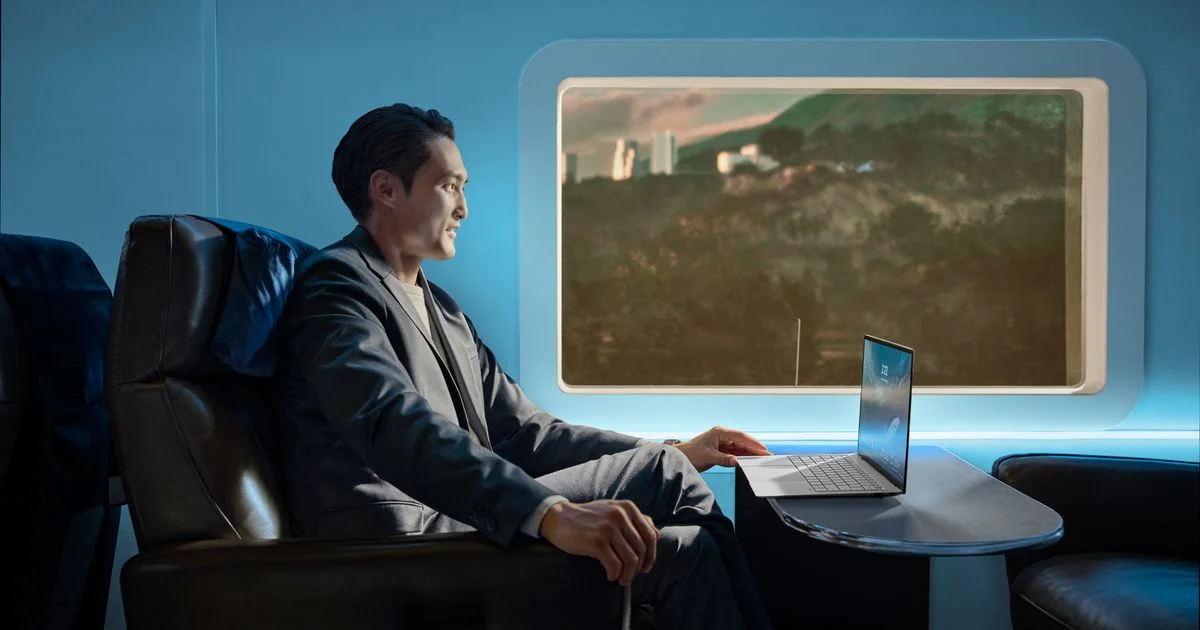
Official U.S. availability date and exact XSP76T launch price. Product image is an ASUS press asset for B9406CAA.
- Current B9406CAA-XSP76T retail asksOpen source
Dated market snapshot on CDW and Micro Center · Sept. 2, 2026
Two orderable exact-configuration asks; the lower price was in-store only.