Lenovo ThinkPad X1 Carbon Gen 11 with Omarchy
Compiled from 22 attributable exact-model owners, including three direct Omarchy reports. The corpus contains successful everyday Linux use alongside recurring MIPI-camera problems, WWAN-related suspend failures and one unresolved Omarchy reboot report.
The retained owner configurations include Lenovo machine types 21HM and 21HN. Reports about X1 Carbon Gen 10, Gen 12 and X1 Yoga Gen 8 remain outside this profile even when they use similar components.
Bottom line
Three exact-model owners report directly on Omarchy: one broad positive report without component checks, one working-speaker report with a locally tested but unmerged tuning, and one i7-1370P report of unexplained hard reboots on two Omarchy kernels while Ubuntu remained stable on the same machine. Separate Arch, Ubuntu, Fedora, Debian and openSUSE reports include successful development, docking, Wi-Fi and fingerprint use, but do not establish those results under Omarchy. MIPI-camera and WWAN configurations carry the clearest repeated risks.
Should you use or buy it?
The lowest-risk choices in the current corpus are a U-series processor, 400-nit low-power IPS display, standard USB webcam and no WWAN. No owner tested that exact combination under Omarchy. The 64 GB option is paired with the i7-1370P; one measured review found weak sustained CPU scaling, while separate battery reviews of OLED/P-series and WUXGA/U-series configurations used different protocols. Existing owners should test repeated suspend, camera startup, direct HDMI, microphone capture and sustained load before moving their main environment.
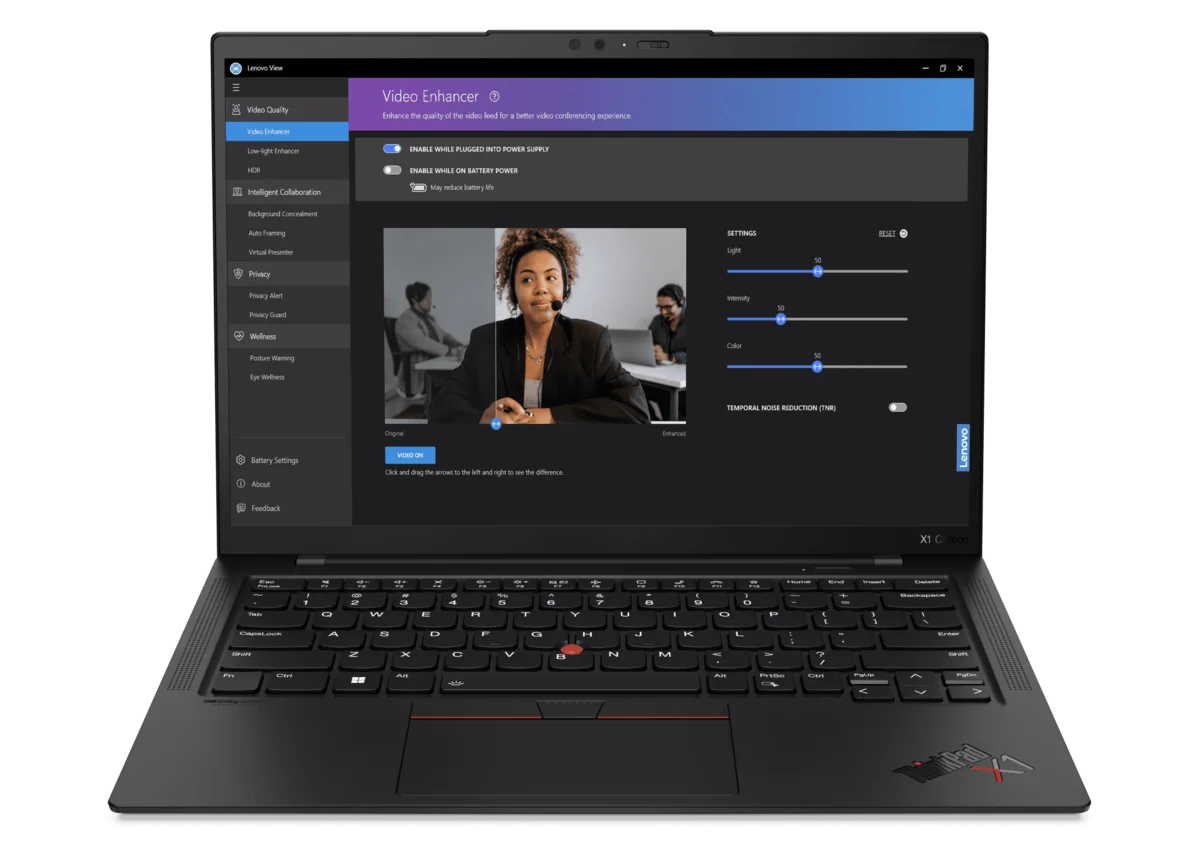
- Screen size
- 14 inchesSource
- Dimensions (W × D × H)
- 12.43 × 8.76 × 0.59–0.60 inches, depending on cameraSource
- Weight
- Starts at 2.48 poundsSource
- Release
- Available April 2023Source
- Launch price
- $1,729Expected starting priceThinkPad X1 Carbon Gen 11 announcement
- Used asking price
- $599.99–$779.95Core i5 and i7 configurations with 16GB or 32GB memory · used and refurbished · observed Sept. 2, 2026 · 5 listingsThinkPad X1 Carbon Gen 11 asking-price sample
Current figures are dated asking prices, not completed sales or appraisals.
Compatibility
- Working reports
- Mixed results
Before you buy
Match the seller's exact model and configuration to the findings above. Check the return period, condition, included charger and delivered price before ordering.
- Check listings at ebay.com · price source checked Sept. 2, 2026
These are the sources behind the dated asking prices, not a live stock check. Searches and catalogs may include other configurations. We have not tested or endorsed individual listings.
These links are untagged; Omarchy Hardware earns no referral commission from them. How we handle commercial links.
Detailed findings
Install and boot
Ubuntu and Arch owners establish successful Linux use, and Ubuntu certifies one i7-1360P configuration with a custom 22.04 image. Another owner could not make the firmware recognize either Arch or Ubuntu installation media despite testing several ports, images and Secure Boot settings.
In practice Linux installation succeeded for several owners. One exact owner could not get the firmware to list tested Arch or Ubuntu media, but the report did not identify the firmware state or a model-wide cause. Ubuntu certification applies to its tested custom 22.04 image, not every standard image.
Sources X1 Carbon Gen 11 Ubuntu daily-use report, X1 Carbon Gen 11 OLED setup on Arch Linux, X1 Carbon Gen 11 installation media not recognized, ThinkPad X1 Carbon Gen 11 Ubuntu certification
Desktop and graphics
An Ubuntu owner used the machine for development, video calls and light gaming; an Arch owner reached a usable desktop; and one Omarchy owner gave a broad positive verdict. Another Omarchy owner confirmed VA-API with Intel's iHD driver but experienced hard reboots that continued after browser acceleration was disabled.
In practice These reports support a working Intel graphics path, not quantified graphics performance or long-term Omarchy stability. The reboot report does not identify graphics as the cause.
Sources X1 Carbon Gen 11 OLED setup on Arch Linux, X1 Carbon Gen 11 Ubuntu daily-use report, X1 Carbon Gen 11 Omarchy owner report, X1 Carbon Gen 11 hard reboots under Omarchy
Internal display and brightness
Linux owners used both touch IPS and 2.8K OLED panels. The Arch OLED owner needed desktop scaling; Notebookcheck separately measured 363 Hz PWM on its OLED review unit. The retained battery reviews used different processors, panels and protocols.
In practice Panel choice changes resolution, touch support, color and PWM behavior. The corpus contains no controlled Linux or Omarchy comparison that isolates the panel's effect on battery life.
Sources X1 Carbon Gen 11 OLED setup on Arch Linux, X1 Carbon Gen 11 Ubuntu daily-use report, ThinkPad X1 Carbon Gen 11 i7-1370P OLED review, ThinkPad X1 Carbon Gen 11 i7-1355U IPS review
Keyboard, hotkeys and backlight
An Ubuntu owner and both measured reviews found the keyboard comfortable, while one new Arch installation initially would not accept keyboard input in desktop text boxes.
In practice The hardware has strong positive evidence, but the Arch result shows that a working keyboard at boot does not guarantee a correctly configured desktop input stack.
Sources X1 Carbon Gen 11 OLED setup on Arch Linux, X1 Carbon Gen 11 Ubuntu daily-use report, ThinkPad X1 Carbon Gen 11 i7-1370P OLED review, ThinkPad X1 Carbon Gen 11 i7-1355U IPS review
Touchpad and pointing
Reviewers found the TrackPoint and touchpad effective, but the Arch OLED owner initially lacked tap-to-click and gestures and still lacked pinch-to-zoom after other setup problems were resolved.
In practice Basic pointing hardware is usable; gesture behavior depends on the desktop and input configuration rather than the model name alone.
Sources X1 Carbon Gen 11 OLED setup on Arch Linux, ThinkPad X1 Carbon Gen 11 i7-1370P OLED review, ThinkPad X1 Carbon Gen 11 i7-1355U IPS review
Fingerprint and biometrics
One Ubuntu owner reports using the optional fingerprint reader for login. Lenovo's Linux guide documents enrollment through GNOME Settings.
In practice This supports fingerprint use on an equipped Linux configuration, not every reader, desktop or Omarchy setup.
Sources X1 Carbon Gen 11 Ubuntu daily-use report, ThinkPad X1 Carbon Gen 11 Linux user guide
Wi-Fi and Bluetooth
Wi-Fi worked in everyday Ubuntu use and could be brought up from the command line on a fresh Arch install. The optional MediaTek 5G modem is the sharper concern: two owners found that its mtk_t7xx driver prevented suspend, and Ubuntu's certification record says GSM did not work properly on its tested configuration.
In practice The AX211 Wi-Fi path has positive evidence. Buyers who need WWAN should verify both mobile broadband and suspend; disabling or blacklisting the modem driver restored sleep for two owners but removes modem access.
Sources X1 Carbon Gen 11 Ubuntu daily-use report, X1 Carbon Gen 11 OLED setup on Arch Linux, X1 Carbon Gen 11 power management on Arch Linux, X1 Carbon Gen 11 Linux standby drain, ThinkPad X1 Carbon Gen 11 Ubuntu certification
Speakers, microphone and audio
Playback was working when one Arch owner retested after using fwupd, but the report did not identify which change restored it. An exact-model Omarchy contributor confirms that the raw internal speakers work but sound bass-light and top-heavy. That owner locally validated a PipeWire tuning, while an openSUSE owner needed a UCM path correction before PipeWire exposed the digital microphones.
In practice Speaker playback has direct Omarchy evidence, but the proposed tuning is still open and unmerged. Test microphone capture separately because working speakers do not establish the input profile.
A model-specific speaker tuning is proposed. The exact-model owner tested it locally, but the pull request remained open and unmerged on Sept. 3. Project source
Sources X1 Carbon Gen 11 OLED setup on Arch Linux, X1 Carbon Gen 11 Ubuntu daily-use report, X1 Carbon Gen 11 internal microphone mapping, X1 Carbon Gen 11 Omarchy speaker tuning
Camera
The standard USB webcam has one positive and one negative owner report. Across the retained MIPI threads, owners reported intermittent startup, custom-patch recoveries, later packaged paths and fresh regressions after kernel or distribution updates. Five Gen 11 owners in the Fedora thread moved the evidence beyond its opening failure; two later confirmed reliable starts with custom patches, while other owners continued to need relay restarts or lost video after updates.
In practice Camera type and software version are more useful than a model-wide yes or no. The kernel fixes tested by owners entered upstream and stable-kernel work, but no retained Gen 11 owner confirms that a current Omarchy installation provides a durable MIPI video-call path. No retained report establishes the infrared path under Omarchy.
Sources X1 Carbon Gen 11 Linux webcam reports, X1 Carbon Gen 11 MIPI camera on Fedora, X1 Carbon Gen 11 MIPI camera on Ubuntu, Intel IPU6 camera patch delivery update, X1 Carbon Gen 11 MIPI camera history, ThinkPad X1 Carbon Gen 11 Linux user guide, ThinkPad X1 Carbon Gen 11 platform specifications
Suspend and resume
Two owners found that the optional MediaTek 5G driver's suspend error caused immediate wake or about 50% battery loss over six hours. Disabling or blacklisting mtk_t7xx restored suspend on those machines, but one owner still could not resume from hibernation and another found only s2idle available.
In practice Suspend can work, but WWAN-equipped systems need a specific test. The workaround exchanges mobile broadband for sleep, and no retained report establishes reliable hibernation.
Sources X1 Carbon Gen 11 power management on Arch Linux, X1 Carbon Gen 11 Linux standby drain
External displays and docks
One Ubuntu owner used the laptop docked with multiple monitors. A different owner could not use the built-in HDMI port with a monitor that worked on another Lenovo; that failure persisted across Ubuntu and Windows after firmware and settings checks.
In practice One unspecified docked display path worked; one machine's built-in HDMI path did not across Ubuntu and Windows. The reports do not establish whether that HDMI failure was hardware-specific or model-wide.
Sources X1 Carbon Gen 11 Ubuntu daily-use report, X1 Carbon Gen 11 HDMI failure
Battery, power and thermals
Linux owners report about 1.5 hours under heavy use and five to six hours under a full workload. In separate Windows review protocols, the i7-1370P OLED model lasted about 6.5 hours in a Wi-Fi test and the i7-1355U WUXGA IPS model lasted 13 hours 45 minutes. The i7-1370P review unit also fell to roughly 15 watts under sustained multicore work.
In practice Runtime varies widely across the reported configurations and workloads, but this corpus cannot assign the difference to panel, processor, workload or sleep behavior individually. The Windows results use different hardware and protocols and are not an Omarchy benchmark or controlled panel comparison.
Sources X1 Carbon Gen 11 Ubuntu daily-use report, X1 Carbon Gen 11 Linux standby drain, ThinkPad X1 Carbon Gen 11 i7-1370P OLED review, ThinkPad X1 Carbon Gen 11 i7-1355U IPS review
Daily use
Lower-risk configuration from the current evidence
U-series processor, 400-nit low-power IPS, standard USB webcam and no WWAN
This choice excludes OLED PWM, the specific i7-1370P sustained-load result, the reported MIPI-camera paths and the MediaTek WWAN suspend failure. It is a synthesis of separate findings, not a configuration tested by an owner under Omarchy.
Sources ThinkPad X1 Carbon Gen 11 platform specifications, ThinkPad X1 Carbon Gen 11 i7-1370P OLED review, ThinkPad X1 Carbon Gen 11 i7-1355U IPS review, X1 Carbon Gen 11 MIPI camera on Fedora, X1 Carbon Gen 11 MIPI camera on Ubuntu, X1 Carbon Gen 11 power management on Arch Linux, X1 Carbon Gen 11 Linux standby drain, X1 Carbon Gen 11 Linux webcam reports
Battery life varies by configuration and workload
About 1.5 hours under one heavy Linux workload; 5 to 6 hours in another
The two Linux reports supply different owner-observed runtimes under loosely described workloads and unspecified configurations; they do not measure workload sensitivity while holding other variables constant. Separate Windows reviews measured about 6.5 hours on i7-1370P/OLED and 13 hours 45 minutes on i7-1355U/WUXGA IPS under different protocols.
Sources X1 Carbon Gen 11 Ubuntu daily-use report, X1 Carbon Gen 11 Linux standby drain, ThinkPad X1 Carbon Gen 11 i7-1370P OLED review, ThinkPad X1 Carbon Gen 11 i7-1355U IPS review
Portable, but only partly upgradeable
Starts at 2.48 pounds; SSD and battery are serviceable, memory and Wi-Fi are soldered
The chassis is unusually light for a 14-inch business laptop. One standard M.2 SSD can be replaced, and the measured review found a battery secured with screws rather than adhesive. The memory and Wi-Fi adapter must be chosen at purchase.
Sources ThinkPad X1 Carbon Gen 11 platform specifications, ThinkPad X1 Carbon Gen 11 i7-1370P OLED review, ThinkPad X1 Carbon Gen 11 i7-1355U IPS review
Keyboard is consistently praised; speaker opinions differ
Comfortable keyboard and pointing hardware; no single speaker verdict
The Ubuntu owner and both measured reviews praise the keyboard. The two reviews evaluate the speakers positively, while the Ubuntu owner calls them merely adequate compared with a MacBook Pro. The Arch report documents desktop input configuration gaps, not poor hardware.
Sources X1 Carbon Gen 11 Ubuntu daily-use report, X1 Carbon Gen 11 OLED setup on Arch Linux, ThinkPad X1 Carbon Gen 11 i7-1370P OLED review, ThinkPad X1 Carbon Gen 11 i7-1355U IPS review
Heat and fan behavior vary by processor
The i7-1370P unit reached 41 dB(A) and 43.8 C underneath; the i7-1355U unit reached 34.8 C underneath with barely audible fans
Those measurements come from separate Windows review units and protocols. A Linux owner likewise reported heat before the fans engaged, but described the fans as very quiet. None of the three observations is an Omarchy thermal test.
Sources ThinkPad X1 Carbon Gen 11 i7-1370P OLED review, ThinkPad X1 Carbon Gen 11 i7-1355U IPS review, X1 Carbon Gen 11 Linux standby drain
Performance
Development and general productivity
Strong everyday responsiveness with an 8,628 Geekbench 5 multicore result on the i7-1355U review unit
An Ubuntu owner used the machine for development, Zoom, documents, email, browsing, multiple monitors and networking. Tom's Hardware measured 1,835 single-core and 8,628 multicore in Geekbench 5 under Windows; those scores describe hardware capacity, not Omarchy performance.
Sources X1 Carbon Gen 11 Ubuntu daily-use report, ThinkPad X1 Carbon Gen 11 i7-1355U IPS review
Memory-heavy work
Up to 64 GB is useful; the memory cannot be upgraded later
The 64 GB configuration gives this ultralight unusual room for large working sets. Lenovo paired that capacity with the i7-1370P, and Notebookcheck found that processor could not sustain its initial power level, so memory capacity should not be mistaken for workstation-class sustained compute.
Sources ThinkPad X1 Carbon Gen 11 platform specifications, ThinkPad X1 Carbon Gen 11 i7-1370P OLED review
Sustained CPU work
P-series peak speed does not guarantee strong sustained performance in this chassis
Notebookcheck measured the i7-1370P unit falling to roughly 15 watts under long multicore load and below its separately tested i7-1365U configuration. In a different lab, Tom's Hardware measured a 9-minute, 8-second Handbrake run and comparatively stable Cinebench loop on an i7-1355U unit. Absolute results should not be compared across the two protocols.
Sources ThinkPad X1 Carbon Gen 11 i7-1370P OLED review, ThinkPad X1 Carbon Gen 11 i7-1355U IPS review
Gaming and media
One Ubuntu owner reports light gaming; no titles, settings or frame rates are supplied
The report establishes that this owner used Iris Xe for some gaming alongside normal desktop work. It does not establish performance for a particular game, GPU compute, media encoding or Omarchy.
Sources X1 Carbon Gen 11 Ubuntu daily-use report, ThinkPad X1 Carbon Gen 11 platform specifications
Changes over time
-
UEFI and management-engine update failures reported
The capsules staged in Fedora but failed during the reboot updater.
-
Correcting the EFI partition restores both updates
The same owner found that the disk's EFI System Partition flag was missing. Setting it allowed both UEFI and management-engine updates to complete, and the issue closed.
-
WWAN driver identified as a suspend blocker
Two Linux owners traced immediate wake or severe standby drain to mtk_t7xx. Disabling or blacklisting the MediaTek modem driver restored suspend, although one still lacked working hibernation.
Sources X1 Carbon Gen 11 power management on Arch Linux, X1 Carbon Gen 11 Linux standby drain
-
Arch OLED setup exposes desktop configuration gaps
The exact-model owner reached the desktop but initially encountered scaling, input, gesture, Wi-Fi and sound problems. Sound was working when the owner retested after firmware updates, without identifying which change restored it; pinch-to-zoom remained absent.
-
Intermittent MIPI camera startup reported on Fedora
The camera started successfully on roughly three of 10 attempts on an exact 21HM configuration.
-
Two owners report opposite webcam results
A Pop!_OS owner had a working standard webcam, while another exact-model Linux owner could not use the webcam. The thread does not establish identical camera modules.
-
Arch and Ubuntu installation media go unrecognized
The owner tried multiple images, ports and Secure Boot settings but never reached an installer and returned the machine.
-
Two owners reach reliable starts with custom patches
Gen 11 owners reported reliable MIPI-camera starts after manually applying kernel-module patches on Manjaro 6.6.27 and Fedora 6.8.8. These were owner-built stacks, not a standard distribution or Omarchy path.
-
Debian owner loses camera while moving from Linux 6.6 to 6.8
An owner whose MIPI camera had worked for three months on Linux 6.6 lost it after moving to 6.8; rolling the kernel and camera repositories back did not immediately recover it.
-
Packaged Ubuntu camera path remains inconsistent
The original owner still found the camera unreliable on Ubuntu 24.04, while another Gen 11 owner called a related setup mostly usable but still needed relay restarts and occasional module reinstalls.
-
Debian owner rebuilds the camera stack
The same owner restored video on Linux 6.11.2 with pinned driver, firmware, camera HAL, GStreamer and relay components. This was a custom stack, not an out-of-box fix.
-
Ubuntu owner reports intermittent MIPI initialization
Camera modules failed to configure on roughly half of boots; unloading and reloading the sensor module sometimes restored the video path.
-
Ubuntu and Debian owners validate the proposed fixes
One owner completed five successful boots and repeated tests in Zoom, VLC and a browser after building a patched Ubuntu 6.11 OEM kernel. A second Gen 11 owner reported working video with the same patches on Debian sid. Both results required owner-built kernels.
-
Patch author reports upstream inclusion and expected backports
A patch author reported the fixes in Linux 6.13 release-candidate code and expected them in the 6.12 and 6.11 stable series. The retained Gen 11 reports do not contain a later packaged-kernel retest that clears every MIPI configuration.
-
Ubuntu owner reports a packaged camera path
A second owner reported working video on Linux 6.8.0-51 with Ubuntu's HWE packages and the Somerville camera HAL repository.
-
Ubuntu owner loses camera after moving to Linux 6.14
An owner returned to Linux 6.11.0-29 after 6.14.0-24 stopped the MIPI camera and the usual relay restart no longer recovered it.
-
The same owner restores video on Linux 6.14
The owner reported working video again on 6.14.0-32 after correcting the kernel and user-space package combination, followed by one manual relay restart.
-
Camera stops working after a Kubuntu 25.10 upgrade
A third owner reported that an internal camera which had worked earlier no longer produced video after the distribution upgrade.
-
Internal microphone mapping failure documented
A local UCM path correction made both digital microphone sources visible.
-
One i7-1370P owner reports hard reboots under Omarchy
The owner reproduced resets on two Omarchy kernels and did not observe them under Ubuntu on the same hardware. The open report does not identify Omarchy, graphics, thermals or power delivery as the cause.
-
A second owner reports a broadly successful Omarchy system
The owner gives a broad positive verdict on Omarchy on an X1 Carbon Gen 11 but supplies no version, configuration, duration or component-level checks.
-
Omarchy owner validates speaker playback and local tuning
The raw internal speakers worked, and the owner reported the best Linux sound they had achieved after applying a model-specific PipeWire tuning. The pull request remained open and unmerged on Sept. 3.
Sources
Omarchy reports are direct results. Arch, Arch-based and other Linux reports are labeled separately and used only as evidence of hardware or driver behavior that may carry over. Shared-identifier and related-model reports are context and do not enter the exact-model count.
- X1 Carbon Gen 11 firmware-update failureOpen source
Field report on GitHub · other Linux · June 14, 2023
The exact-model owner traced the boot-time capsule failure to a missing EFI System Partition flag, confirmed both updates completed after correcting it and closed the issue. A later comment concerns a different Lenovo model.
- X1 Carbon Gen 11 HDMI failureOpen source
Field report on GitHub · other Linux · June 17, 2025
Exact model in the issue title and a cross-operating-system set of direct-HDMI checks.
- X1 Carbon Gen 11 internal microphone mappingOpen source
Field report on GitHub · other Linux · March 5, 2026
Exact model, kernel, audio stack, raw-device check and locally confirmed UCM correction.
- X1 Carbon Gen 11 hard reboots under OmarchyOpen source
Field report on GitHub · Omarchy · Aug. 23, 2026
One direct Omarchy report identifies exact machine type and components, two Omarchy kernels, current firmware and a stable Ubuntu comparison. The complete issue remained open with no exact-model resolution on Sept. 3; comments about an IdeaPad, Gen 10 and unspecified hardware are excluded.
- X1 Carbon Gen 11 Omarchy speaker tuningOpen source
Field report on GitHub · Omarchy · Aug. 31, 2026
The exact-model owner confirms working raw speakers and locally validates a PipeWire tuning. The pull request remained open and unmerged on Sept. 3, so the tuning is not presented as shipped support.
- X1 Carbon Gen 11 Omarchy owner reportOpen source
Field report on Reddit · Omarchy · Aug. 31, 2026
The owner says Omarchy runs brilliantly on the exact generation but supplies no version, configuration, duration, workload or component-level checks.
- X1 Carbon Gen 11 power management on Arch LinuxOpen source
Field report on Arch Linux Forums · Arch Linux · June 22, 2023
One Arch owner identifies the MediaTek WWAN driver as the suspend blocker, confirms a working blacklist and separately reports failed hibernation resume.
- X1 Carbon Gen 11 installation media not recognizedOpen source
Field report on Arch Linux Forums · Arch Linux · April 18, 2024
One Arch owner documents unsuccessful attempts to boot both Arch and Ubuntu media across ports, writers and firmware settings.
- X1 Carbon Gen 11 OLED setup on Arch LinuxOpen source
Field report on Arch Linux Forums · Arch Linux · July 27, 2023
One exact-DMI Arch owner reports initial display scaling, input, Wi-Fi and sound behavior and a later firmware-related sound improvement.
- X1 Carbon Gen 11 Ubuntu daily-use reportOpen source
Field report on Reddit · other Linux · June 8, 2026
One Ubuntu owner identifies the configuration and reports development, video calls, docks, networking, fingerprint login, light gaming and workload-specific battery life.
- X1 Carbon Gen 11 Linux standby drainOpen source
Field report on Reddit · other Linux · June 24, 2023
One exact-model Linux owner identifies the mtk_t7xx suspend blocker and workaround, s2idle-only firmware, MIPI camera failure, thermals and workload battery life; the distribution is not inferred.
- X1 Carbon Gen 11 MIPI camera on FedoraOpen source
Field report on GitHub · other Linux · Oct. 4, 2023
Five exact-model owners reported in the complete current thread. The sequence includes intermittent Fedora startup, unsuccessful early fixes, two custom-patch recoveries and later reports that packaged paths remained fragile. Gen 10, X1 Yoga and other hardware are excluded.
- X1 Carbon Gen 11 MIPI camera on UbuntuOpen source
Field report on GitHub · other Linux · Nov. 19, 2024
Two Gen 11 owners whose exact-model identity is established in this issue and its linked parent thread validated the proposed camera fixes on owner-built Ubuntu and Debian kernels. A patch author later reported upstream and stable-kernel delivery, but the thread has no later exact-owner packaged-kernel retest.
- Intel IPU6 camera patch delivery updateOpen source
Hardware support project on GitHub · Dec. 3, 2024
The patch author reported the fixes in Linux 6.13 release-candidate code and expected them to reach the 6.12 and 6.11 stable series. This is project delivery evidence, not an exact-model packaged-kernel retest.
- X1 Carbon Gen 11 Linux webcam reportsOpen source
Field report on Reddit · other Linux · Dec. 23, 2023
Two exact-model Linux owners report opposite webcam results. Other ThinkPad generations and ambiguous replies are excluded, and the two Gen 11 comments do not establish identical camera modules.
- X1 Carbon Gen 11 MIPI camera historyOpen source
Field report on GitHub · other Linux · May 22, 2024
Five exact-model owners report camera behavior from May 2024 through January 2026. The complete current thread shows kernel-sensitive breakage, custom and packaged recovery paths, relay restarts and later regressions; The9Cat is deduplicated against the separate Ubuntu report.
- ThinkPad X1 Carbon Gen 11 Linux user guideOpen source
Manufacturer specification on Lenovo
Lenovo's model-specific Linux guide documents wireless, camera, display, input and fingerprint handling and notes a limited infrared path; it is not a field report.
- ThinkPad X1 Carbon Gen 11 platform specificationsOpen source
Manufacturer specification on Lenovo
Official platform specification used for processor, memory, display, camera, radio and port options; it is not a Linux result.
- ThinkPad X1 Carbon Gen 11 i7-1370P OLED reviewOpen source
Original measured review on Notebookcheck
Original exact-model Windows review with measured OLED, battery, noise, thermals and sustained i7-1370P performance; used only as hardware-capacity evidence.
- ThinkPad X1 Carbon Gen 11 i7-1355U IPS reviewOpen source
Original measured review on Tom's Hardware · Sept. 30, 2023
Original exact-model Windows review with measured performance, IPS display, battery and thermals; used only as hardware-capacity evidence.
- ThinkPad X1 Carbon Gen 11 Ubuntu certificationOpen source
Official compatibility record on Ubuntu
Official certification covers an i7-1360P configuration on a custom Ubuntu 22.04 image and records a GSM exception; it is not counted as a field report.
- ThinkPad X1 Carbon Gen 11 announcementOpen source
Manufacturer specification on Lenovo · Dec. 20, 2022
Official April availability, expected starting price and exact-generation press photography.
- ThinkPad X1 Carbon Gen 11 asking-price sampleOpen source
Dated market snapshot on eBay · Sept. 2, 2026
Five exact-generation asks across Core i5 and i7 configurations and used through very good refurbished condition.