Lenovo ThinkPad X1 Carbon Gen 12 with Omarchy
Nine exact-model Omarchy owners establish a real installation path, but processor, camera and dock choices materially change the result.
Machine types 21KC and 21KD can contain U- or H-series processors, an ordinary USB camera or a higher-resolution MIPI camera, and optional WWAN. Record the machine type, processor, camera, panel and modem before applying a finding.
Bottom line
Omarchy runs on the ThinkPad X1 Carbon Gen 12, and the strongest current owner report covers a fast Quattro installation with working Wi-Fi, graphics, TrackPoint, touchpad, function keys, sleep and fingerprint login on a 125U configuration. That does not make the whole family trouble-free. Other exact owners report an update-related boot failure, hibernation panics, fingerprint failures after idle, severe stutter on a 125H OLED machine and DisplayLink hotplug trouble. The MIPI camera has improved substantially on current Arch kernels, but sensor, firmware, application and image-quality differences still matter.
Should you use or buy it?
For the lowest-risk mobile configuration, favor a U-series processor, the 400-nit non-touch IPS panel, the ordinary USB camera and no WWAN unless cellular access is essential. Choose H-series for materially higher multicore and graphics capacity, not for better battery life or sustained workstation behavior. Existing owners should test the exact camera, overnight suspend, hibernation, fingerprint after idle, and repeated dock hotplug before moving their main environment.
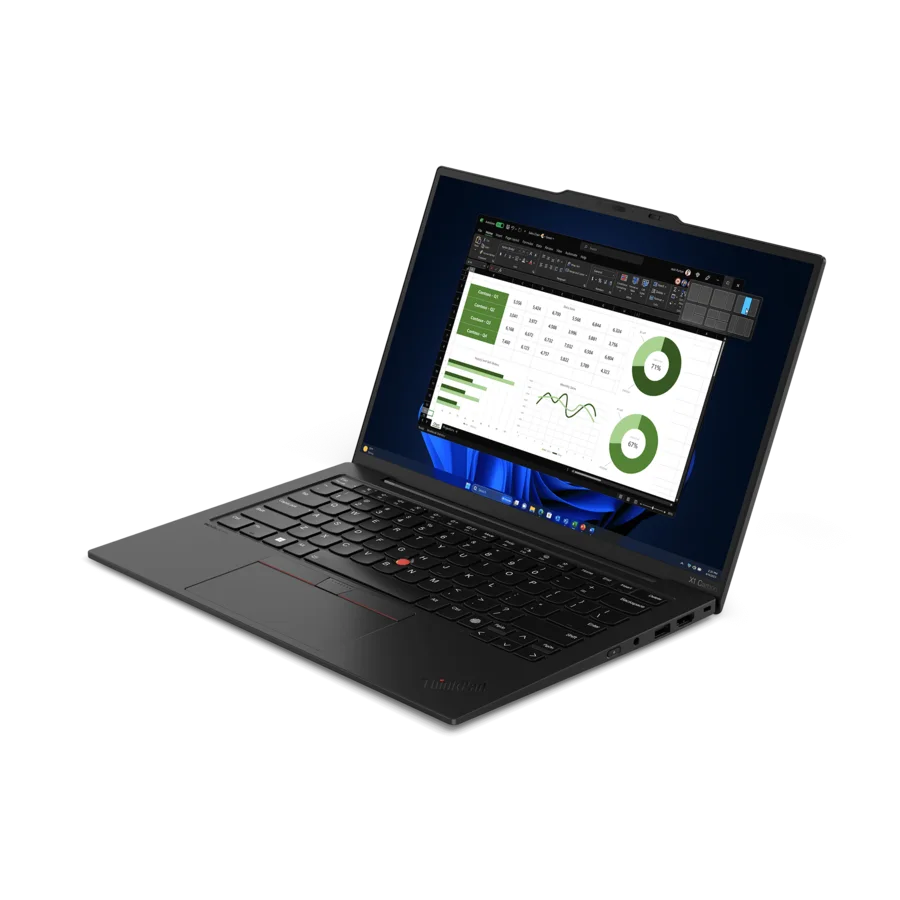
- Screen size
- 14 inchesSource
- Dimensions (W × D × H)
- 12.31 × 8.45 × 0.59 inchesSource
- Weight
- Starts at 2.37 pounds with trackpad or 2.40 pounds with haptic touchpadSource
- Release
- Available March 2024Source
- Launch price
- $2,989Expected starting priceThinkPad X1 Carbon Gen 12 announcement
- Current new price
- $1,616.99Core Ultra 7, 16GB memory and 512GB storage; marketplace seller · observed Sept. 2, 2026Current ThinkPad X1 Carbon Gen 12 listing
Current figures are dated asking prices, not completed sales or appraisals.
Compatibility
- Working reports
- Mixed results
Before you buy
Check this exact model after Prime Big Deal Days: configuration, seller, orderability, returns and retained Linux evidence. A newer listing check does not refresh the compatibility findings above.
Match the seller's exact model and configuration to the findings above. Check the return period, condition, included charger and delivered price before ordering.
- Check seller options at target.com · price source checked Sept. 2, 2026
These are the sources behind the dated asking prices, not a live stock check. Searches and catalogs may include other configurations. We have not tested or endorsed individual listings.
These links are untagged; Omarchy Hardware earns no referral commission from them. How we handle commercial links.
Detailed findings
Install and boot
A 125U owner completed a Quattro installation in 1 minute, 16 seconds and reached a working desktop without hardware adjustment. A different owner reported that an update to 3.4.2 left both GPT copies empty and rebuilt the partition table manually; the cause remains unknown.
In practice Installation is clearly viable, but the unresolved update failure makes a current backup and recovery drive prudent. Do not attribute the partition loss to this Lenovo model without stronger evidence.
Sources X1 Carbon Gen 12 Omarchy Quattro setup, X1 Carbon Gen 12 update and partition-table report
Desktop and graphics
The 125U Quattro owner reports a fast, responsive desktop. A 125H OLED owner instead experienced severe intermittent stutter that resisted power and graphics experiments and eventually moved to another laptop; the owner could not isolate Omarchy from Hyprland and Intel graphics behavior.
In practice Ordinary desktop use has a strong positive U-series result. H-series buyers should reproduce video, large-monitor and sustained-load use before assuming the faster GPU guarantees a smoother desktop.
Sources X1 Carbon Gen 12 Omarchy Quattro setup, X1 Carbon Gen 12 desktop-stutter report, X1 Carbon Gen 12 ArchWiki owner reports
Internal display and brightness
Exact owners use both WUXGA IPS and 2.8K OLED panels. The retained reports do not identify a recurring failure of the internal panel itself, while measured reviews show very different power, flicker and color behavior between panel options.
In practice Choose the panel for endurance and visual needs rather than basic Linux viability. The OLED uses 240 Hz pulse-width modulation in one measured unit and draws more power in bright interfaces.
Sources X1 Carbon Gen 12 Omarchy Quattro setup, X1 Carbon Gen 12 Omarchy owner assessment, X1 Carbon Gen 12 155H OLED measured review, X1 Carbon Gen 12 125U IPS measured review
Keyboard, hotkeys and backlight
A current 125U Omarchy owner reports working volume and brightness keys without adjustment. Retained exact-model reports do not identify a recurring keyboard or backlight failure.
In practice The core laptop controls have a positive current result. Locale and input-method behavior remain software setup questions rather than keyboard-hardware faults.
Sources X1 Carbon Gen 12 Omarchy Quattro setup, X1 Carbon Gen 12 Wayland input-method diagnostic
Touchpad and pointing
The current Quattro report says the TrackPoint and touchpad worked immediately, and ArchWiki lists both as working.
In practice Basic pointing has a good baseline. The evidence does not compare every gesture on the mechanical and haptic touchpad options.
Sources X1 Carbon Gen 12 Omarchy Quattro setup, ThinkPad X1 Carbon Gen 12 ArchWiki page
Fingerprint and biometrics
One current owner enrolled fingerprint login and sudo without adjustment. Another exact owner found that fingerprint authentication failed almost every time after a few idle minutes; the issue closed after Omarchy changed its idle and lock stack, without an exact-device retest.
In practice Enrollment at boot is not enough. Test the reader repeatedly after idle, suspend and lock, and identify whether the machine has a Goodix or Synaptics device before applying a workaround.
Sources X1 Carbon Gen 12 Omarchy Quattro setup, X1 Carbon Gen 12 fingerprint-after-idle report, ThinkPad X1 Carbon Gen 12 ArchWiki page
Wi-Fi and Bluetooth
The 125U Quattro owner reports Wi-Fi working immediately, and ArchWiki lists the standard Intel Wi-Fi and Bluetooth devices as working. An Omarchy 4.0 cellular plugin was developed against the optional Quectel 5G modem, but that project is not counted as an owner report.
In practice The standard Intel wireless path has the strongest evidence. Optional WWAN adds FCC-unlock, SIM, eSIM and suspend variables and should be treated as a separate configuration.
Sources X1 Carbon Gen 12 Omarchy Quattro setup, ThinkPad X1 Carbon Gen 12 ArchWiki page, Omarchy cellular plugin developed on X1 Carbon Gen 12
Speakers, microphone and audio
Current Arch reports support working speakers and microphone after installing sof-firmware. An exact owner also isolated a missing-microphone regression to one alsa-ucm-conf release; the next package revision fixed it.
In practice Install the required SOF firmware, then test playback and microphone capture separately. A package regression is a version boundary, not a permanent model defect.
ArchWiki package correction The model page changed its audio requirement from alsa-firmware to sof-firmware in December 2024. Project source
Sources ThinkPad X1 Carbon Gen 12 ArchWiki page, X1 Carbon Gen 12 ArchWiki owner reports
Camera
The ordinary USB camera is reported working. The MIPI/IPU6 option produced video nodes without usable images through much of 2024 and 2025; later exact owners reached working video on mainline 6.19 and Arch 7.1.3, with firmware, quality and application caveats.
In practice Camera type is a purchase-level distinction. Favor the ordinary USB camera for the simplest path; a detected MIPI sensor is not yet proof of a reliable browser and video-call experience.
Sources ThinkPad X1 Carbon Gen 12 specifications, ThinkPad X1 Carbon Gen 12 ArchWiki page, X1 Carbon Gen 12 ArchWiki owner reports, X1 Carbon Gen 12 MIPI-camera regression, X1 Carbon Gen 12 IPU6 camera enablement
Suspend and resume
The current 125U owner reports normal sleep. A 125H owner documented a missing hibernation offset and then continued to see a kernel panic after correcting the boot configuration; the exact Arch hardware record exposes s2idle but not S3.
In practice Ordinary suspend and hibernation are different promises. Test an overnight closed-lid interval and device recovery, and do not enable hibernation without confirming the generated resume parameters.
Sources X1 Carbon Gen 12 Omarchy Quattro setup, X1 Carbon Gen 12 hibernation investigation, X1 Carbon Gen 12 Arch firmware diagnostic
External displays and docks
One exact owner built working automatic laptop, docked and dual-display layouts on Omarchy 3.1.0. Other exact owners report DisplayLink monitors that require reboot or relogin after hotplug, a Thunderbolt 5 dock that exposes only one of three screens on Arch and an Omarchy login loop tied to an explicit display mode.
In practice Direct USB-C or HDMI and a conventional Thunderbolt dock have the better path. DisplayLink, multi-stream and explicit mode configurations need repeated plug, unplug, suspend and login tests.
Sources X1 Carbon Gen 12 automatic-monitor report, X1 Carbon Gen 12 DisplayLink hotplug report, X1 Carbon Gen 12 display-mode login-loop report, X1 Carbon Gen 12 Thunderbolt 5 dock report
Battery, power and thermals
The 125U Quattro owner reports less fan noise and better battery behavior than Windows, but provides no controlled runtime. Exact 155H Arch owners document boost-collapse oscillation under sustained load, while measured reviews show the H-series OLED configuration losing performance over long runs and lasting less than U-series IPS configurations.
In practice U-series plus IPS is the coherent endurance choice. H-series adds real compile and graphics headroom, but the thin chassis cannot sustain its peak indefinitely and OLED further reduces unplugged time.
Sources X1 Carbon Gen 12 Omarchy Quattro setup, X1 Carbon Gen 12 ArchWiki owner reports, X1 Carbon Gen 12 Meteor Lake power-control report, ThinkPad X1 Carbon Gen 12 specifications, X1 Carbon Gen 12 155H OLED measured review, X1 Carbon Gen 12 155H OLED measured review, X1 Carbon Gen 12 125U IPS measured review
Daily use
The low-risk configuration is specific
U-series, low-power IPS, USB camera, no WWAN
That combination retains the strong current Omarchy baseline while avoiding the H-series thermal record, OLED endurance cost, MIPI camera stack and optional modem complexity. It is a synthesis of separate results, not one fully matched test machine.
Sources X1 Carbon Gen 12 Omarchy Quattro setup, ThinkPad X1 Carbon Gen 12 specifications, X1 Carbon Gen 12 ArchWiki owner reports, X1 Carbon Gen 12 155H OLED measured review, X1 Carbon Gen 12 125U IPS measured review
The camera improved, but the old warning still matters
Current kernels help; configuration still decides the answer
Exact reports show a real transition from no usable MIPI stream to working images on newer kernels. Sensor, firmware, image quality and application integration still vary, and Lenovo continues to warn that the MIPI option may not be supported on Linux preloads.
Sources X1 Carbon Gen 12 ArchWiki owner reports, X1 Carbon Gen 12 MIPI-camera regression, X1 Carbon Gen 12 IPU6 camera enablement, ThinkPad X1 Carbon Gen 12 Linux guide
A dock is a hardware configuration
Port, protocol and topology matter
A working built-in port does not establish DisplayLink or multi-stream Thunderbolt behavior. The retained failures are tied to particular dock stacks and hotplug paths rather than a blanket inability to use an external display.
Sources X1 Carbon Gen 12 automatic-monitor report, X1 Carbon Gen 12 DisplayLink hotplug report, X1 Carbon Gen 12 Thunderbolt 5 dock report
Memory must be chosen up front
SSD replaceable; memory and Wi-Fi soldered
The single M.2 drive and optional WWAN module are accessible service items. The memory and Wi-Fi hardware are board-level choices, so 32 GB or 64 GB should be selected at purchase when heavier local workloads are expected.
Sources ThinkPad X1 Carbon Gen 12 specifications, ThinkPad X1 Carbon Gen 12 hardware maintenance manual
Performance
Browser, office, terminal and ordinary development
U-series is the balanced choice
The current 125U owner describes fast general use with lower fan activity, and measured U-series systems retain similar single-thread responsiveness to H-series units. The standard IPS panel gives the strongest endurance case.
Sources X1 Carbon Gen 12 Omarchy Quattro setup, X1 Carbon Gen 12 165U measured review, X1 Carbon Gen 12 125U IPS measured review, ThinkPad X1 Carbon Gen 12 specifications
Compilation, rendering and heavier virtual machines
H-series adds capacity but not workstation cooling
Measured 155H units deliver materially higher multicore throughput than tested U-series configurations, then cycle or fall under sustained heat. These Windows measurements define the hardware envelope, not Omarchy scheduler or fan behavior.
Sources X1 Carbon Gen 12 155H OLED measured review, X1 Carbon Gen 12 155H OLED measured review, X1 Carbon Gen 12 165U measured review, X1 Carbon Gen 12 135U IPS measured review
Integrated-graphics work and light gaming
Choose H-series Arc for the useful GPU
H-series processors contain seven or eight Xe cores versus four on U-series chips. That is a meaningful increase for light gaming and accelerated applications, but no retained controlled Omarchy benchmark establishes game compatibility or frame rates.
Sources Intel Core Ultra Series 1 product brief, X1 Carbon Gen 12 155H OLED measured review, X1 Carbon Gen 12 125U IPS measured review
Video calls and mobile broadband
Configuration risk outweighs processor speed
The ordinary USB camera and standard Intel Wi-Fi have the simpler evidence. The MIPI camera and optional 5G modem can work through newer kernels and specialized userspace, but each adds failure modes that matter more to a mobile workflow than a modest CPU upgrade.
Sources ThinkPad X1 Carbon Gen 12 ArchWiki page, X1 Carbon Gen 12 ArchWiki owner reports, Omarchy cellular plugin developed on X1 Carbon Gen 12, ThinkPad X1 Carbon Gen 12 Linux guide
Changes over time
-
155H owner reports severe boost collapse
Under a sustained stress workload, performance cores fell to roughly 400 to 600 MHz across power profiles; later owners reported partial improvement from thermal-control tools.
-
MIPI camera lacks a usable Arch path
Exact owners distinguish the working USB camera from the higher-resolution IPU6 option and report video devices without a usable stream.
-
Thunderbolt 5 dock exposes only one of three displays
The exact 155U Arch machine drives the displays directly and through an older Thunderbolt 4 dock, isolating the failure to the newer dock path.
-
MIPI camera stops producing an image on Ubuntu
An exact owner reports that the camera initially worked after the official setup, then returned a black screen or remained stuck during startup.
-
Omarchy owner documents working automatic monitor layouts
The exact 21KC0046US system switches among laptop-only, external-only and dual-display arrangements through a custom ACPI and Hyprland setup.
-
Fingerprint authentication fails after idle
The Goodix reader works initially but almost always times out after a few idle minutes for one exact owner; no current exact-device retest is retained.
-
Update leaves one Omarchy installation unbootable
The owner reconstructs the partition table after moving to 3.4.2, while explicitly leaving the cause under investigation.
-
DisplayLink hotplug stops working
The dock's monitors work after reboot but not when reconnected; its keyboard and mouse continue to work and an LTS-kernel rollback does not restore hotplug.
-
Current Arch owner reaches working camera, speakers and microphone
The owner reports a working webcam on Linux 7.1.3 and working audio after installing sof-firmware, without identifying which factory camera option is present.
-
125U owner reports a clean Quattro baseline
Installation completes in 1 minute, 16 seconds, and the owner reports working Wi-Fi, graphics, pointing, function keys, sleep and fingerprint authentication without hardware adjustments.
-
Only retained 4.0.2 owner report exposes rollback-state skew
The machine remains diagnosable after a snapshot restore leaves migration markers ahead of system files; the proposed recovery was not applied, so 4.0.2 is not broadly validated by this one report.
Sources
Omarchy reports are direct results. Arch, Arch-based and other Linux reports are labeled separately and used only as evidence of hardware or driver behavior that may carry over. Shared-identifier and related-model reports are context and do not enter the exact-model count.
- X1 Carbon Gen 12 automatic-monitor reportOpen source
Field report on GitHub · Omarchy · Aug. 22, 2025
Exact 21KC0046US owner documents working custom lid and monitor switching on Omarchy 3.1.0.
- X1 Carbon Gen 12 fingerprint-after-idle reportOpen source
Field report on GitHub · Omarchy · Nov. 7, 2025
Exact-model owner reports repeated fingerprint timeouts after idle; issue closure does not include an exact-device retest.
- X1 Carbon Gen 12 Omarchy owner assessmentOpen source
Field report on Reddit · Omarchy · Nov. 9, 2025
Exact 155H/OLED owner recommends the Linux experience but sells the machine to move to dedicated graphics; resale prose is not a benchmark.
- X1 Carbon Gen 12 update and partition-table reportOpen source
Field report on GitHub · Omarchy · March 8, 2026
Exact-model owner manually recovers the 3.4.2 installation; causal attribution remains unknown.
- X1 Carbon Gen 12 hibernation investigationOpen source
Field report on GitHub · Omarchy · March 11, 2026
Exact 125H owner's hibernation panic persists after repairing an empty resume offset and Limine override.
- X1 Carbon Gen 12 desktop-stutter reportOpen source
Field report on GitHub · Omarchy · May 2, 2026
The same exact 125H/OLED owner reports severe intermittent stutter and cannot isolate Omarchy, Hyprland and Intel graphics behavior.
- X1 Carbon Gen 12 DisplayLink hotplug reportOpen source
Field report on GitHub · Omarchy · May 12, 2026
Exact-model Omarchy owner reports working displays after reboot but broken hotplug after an update; USB input through the dock still works.
- X1 Carbon Gen 12 display-mode login-loop reportOpen source
Field report on GitHub · Omarchy · July 30, 2026
Exact-model owner reports the 3.8.4 login loop; the retained thread ties recovery to replacing an explicit monitor mode with preferred.
- X1 Carbon Gen 12 Omarchy 4.0.2 rollback reportOpen source
Field report on GitHub · Omarchy · Sept. 2, 2026
The same owner documents snapshot and migration-state skew on 4.0.2; the proposed workaround was not applied.
- X1 Carbon Gen 12 Wayland input-method diagnosticOpen source
Machine diagnostic on GitHub · Aug. 20, 2026
The counted 125U owner isolates misplaced Japanese candidate windows to native Wayland Chromium and Electron; input works through XWayland.
- X1 Carbon Gen 12 Quattro command-skew reportOpen source
Field report on GitHub · Omarchy · Sept. 1, 2026
Exact 21KCS4S900 owner establishes a working 4.0.1 system; the missing Windows-key command is documentation skew rather than a hardware failure.
- X1 Carbon Gen 12 ArchWiki owner reportsOpen source
Field report on ArchWiki · Arch Linux · May 3, 2024
Seven attributable exact-model Arch owners cover 155H thermals, camera generations, audio, WWAN and later working results; discussion claims remain individually bounded.
- X1 Carbon Gen 12 Meteor Lake power-control reportOpen source
Field report on GitHub · Arch Linux · Feb. 22, 2026
Exact 155H Arch test machine supplies single-operator power-mode measurements and a control utility; not a fleet benchmark.
- X1 Carbon Gen 12 Thunderbolt 5 dock reportOpen source
Field report on Linux USB mailing list · Arch Linux · Nov. 22, 2024
Exact 155U Arch owner isolates a three-display failure to a Kensington Thunderbolt 5 dock while direct and older-dock paths work.
- X1 Carbon Gen 12 MIPI-camera regressionOpen source
Field report on GitHub · other Linux · Feb. 27, 2025
Exact Ubuntu owner reports an initially working OVTI08F4 camera later producing a black screen; other-Linux transfer evidence, not Omarchy.
- X1 Carbon Gen 12 Omarchy Quattro setupOpen source
Field report on PortableCode · Omarchy · Aug. 19, 2026
Exact 125U owner supplies the strongest current broad baseline; the GitHub IME diagnostic belongs to the same owner and is not counted again.
- Omarchy cellular plugin developed on X1 Carbon Gen 12Open source
Hardware support project on GitHub · Aug. 30, 2026
Exact Quectel RM520N-GL development target for Omarchy 4.0; owner identity is not asserted and the record is excluded from report volume.
- ThinkPad X1 Carbon Gen 12 ArchWiki pageOpen source
Project documentation on ArchWiki · Sept. 1, 2025
Maintained component table and package guidance; the main page predates later 2026 camera reports on its talk page.
- X1 Carbon Gen 12 Arch firmware diagnosticOpen source
Machine diagnostic on GitHub · April 26, 2024
Exact 21KDS00600/155H diagnostic identifies the USB camera, fingerprint reader, firmware devices and s2idle-only sleep design.
- X1 Carbon Gen 12 IPU6 camera enablementOpen source
Hardware support project on Red Hat Bugzilla · Jan. 15, 2025
Exact-model and shared-stack Fedora camera transition; downstream success is transferable context rather than Omarchy validation.
- ThinkPad X1 Carbon Gen 12 specificationsOpen source
Manufacturer specification on Lenovo · Sept. 2, 2026
Official configuration menu, dimensions and port record; possible options are not compatibility results.
- ThinkPad X1 Carbon Gen 12 Linux guideOpen source
Project documentation on Lenovo · Sept. 2, 2026
Official Linux limitations and setup guidance; not a direct Omarchy result.
- ThinkPad X1 Carbon Gen 12 hardware maintenance manualOpen source
Manufacturer specification on Lenovo · Sept. 2, 2026
Official serviceability record for the base cover, SSD, WWAN, battery and board-level parts.
- Intel Core Ultra Series 1 product briefOpen source
Manufacturer specification on Intel · Jan. 1, 2024
Processor architecture and power specifications; vendor record, not model performance.
- X1 Carbon Gen 12 155H OLED measured reviewOpen source
Original measured review on Notebookcheck · Feb. 21, 2024
Independent exact-unit Windows measurements for performance, sustained load, display, battery, noise and heat; not Omarchy runtime.
- X1 Carbon Gen 12 155H OLED measured reviewOpen source
Original measured review on Tom's Hardware · June 1, 2024
Independent exact-unit Windows measurements for performance, heat, camera and battery; not Omarchy runtime.
- X1 Carbon Gen 12 165U measured reviewOpen source
Original measured review on StorageReview · July 11, 2024
Independent 165U Windows measurements; the installed panel is not identified and the result is not an Omarchy benchmark.
- X1 Carbon Gen 12 135U IPS measured reviewOpen source
Original measured review on IT Pro · Sept. 11, 2024
Independent exact-unit Windows measurements for performance, display and battery; not Omarchy runtime.
- X1 Carbon Gen 12 125U IPS measured reviewOpen source
Original measured review on the比較 · April 19, 2024
Independent exact-unit Windows measurements across power modes plus display and dock checks; not Omarchy runtime.
- ThinkPad X1 Carbon Gen 12 announcementOpen source
Manufacturer specification on Lenovo · Dec. 14, 2023
Official full-portfolio availability, expected starting price and exact-generation press photography.
- Current ThinkPad X1 Carbon Gen 12 listingOpen source
Dated market snapshot on Target Plus · Sept. 2, 2026
Exact new configuration ask from a Target Plus marketplace seller.